CSS Notes Are Coming in WeasyPrint
What are CSS Notes and how to use them with WeasyPrint?
Where Does it Come From?
Several times, we said we were working with Julien Taquet and Julie Blanc from Paged.js to create new CSS specifications related to print.
This work is possible thanks to the amazing NLnet Foundation which gave us a grant to do so ♥️.
The grant is for several things around CSS for print. It includes:
- publishing the CSS Notes specification,
- implementing the Notes specification into WeasyPrint and Paged.js,
- publishing a specification about uncovered page breaks,
- publishing a specification for facing pages layout,
- several communication related tasks.
We decided to work on these topics because CSS specifications are mainly for continuous media. Sometimes we’re stuck with cases undefined by the specifications for paged media, and implementing something that isn’t specified is usually a bad idea 😄.
With new specifications, with a focus on paged media, we’re aiming to define and specify these cases to avoid inventing weird specific-tooling stuff when coding and have interoperability among renderers.
In this article, the focus is on CSS Notes. If you’re interested in the other specifications, you can find them online 👀.
What are CSS Notes?
In CSS, the only type of notes specified are footnotes. Footnotes are really useful (and already supported by WeasyPrint!), but are limited to be displayed at the bottom of a page. That means having side notes isn’t possible.
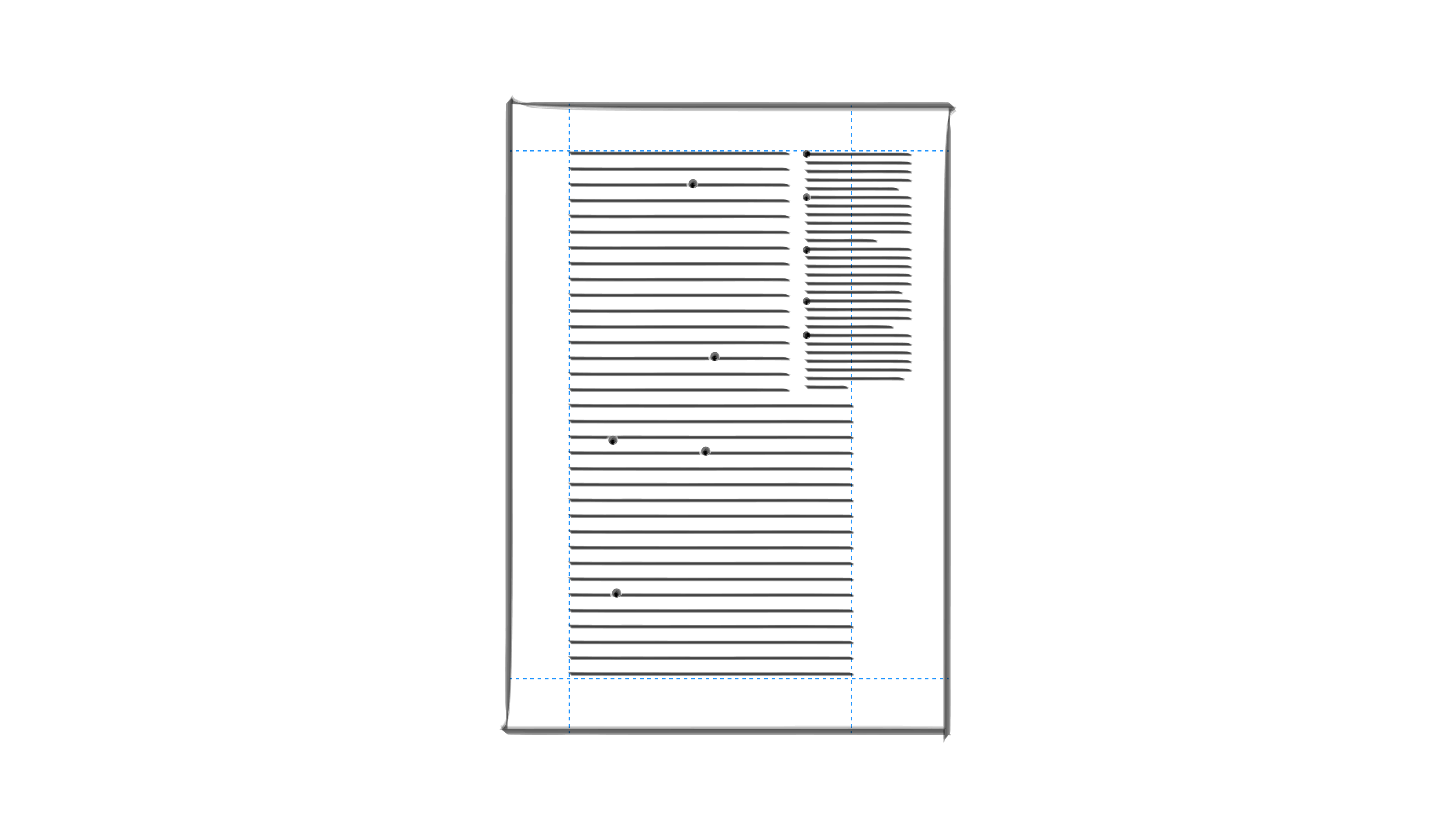
The goal of this CSS Notes specification is to define a way to create side notes with CSS and have things like:
Or like:
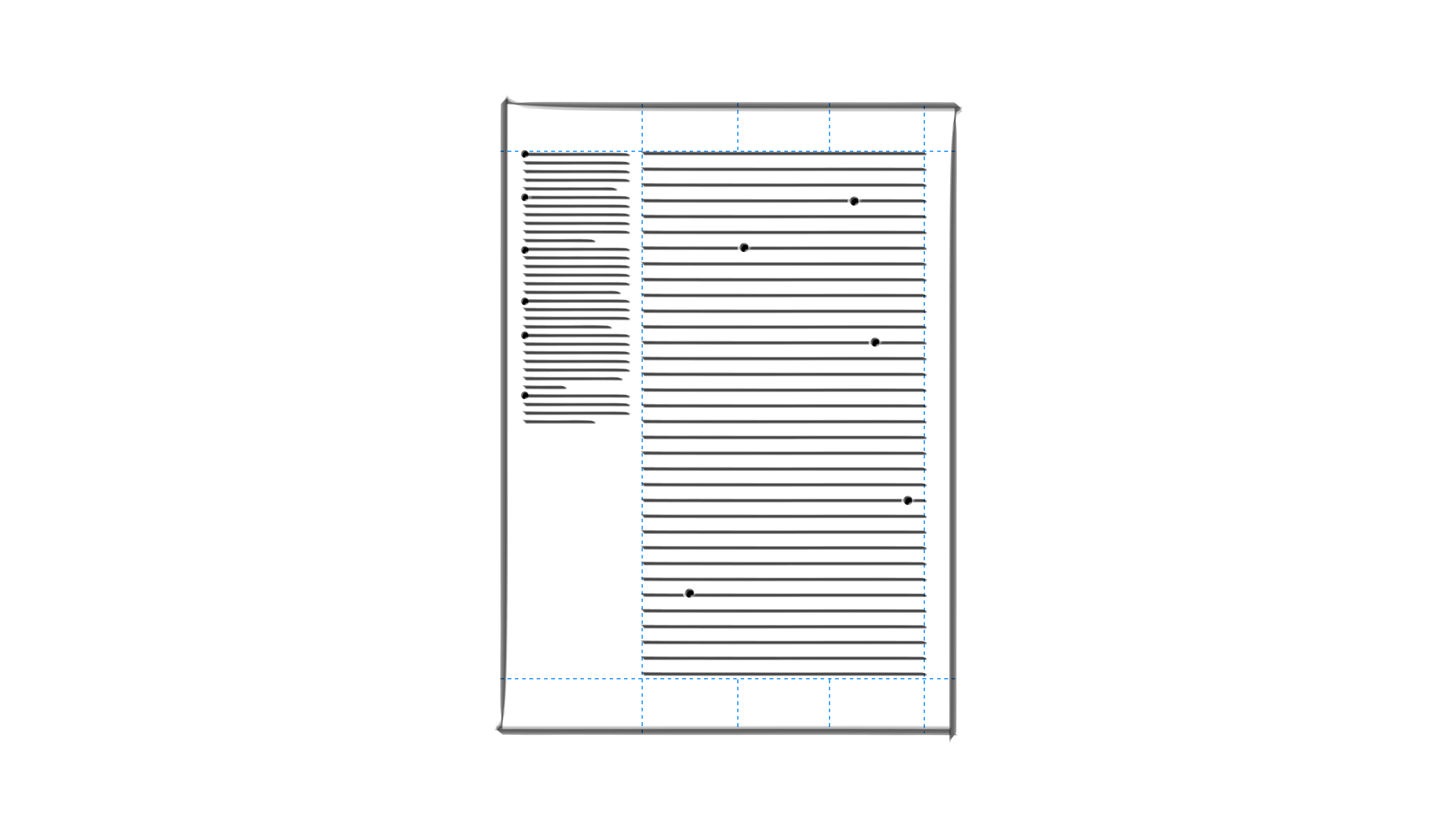
The specification creates a new at-rule:
@note-area. This at-rule defines the area where
the notes will be and is to be used in a @page
block.
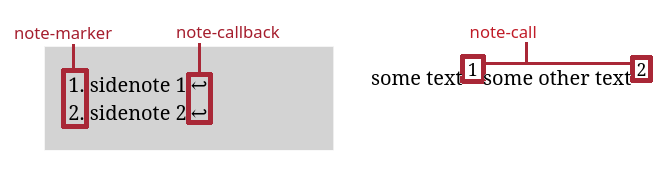
Like a footnote, a note has a note-call and a
note-marker. The note has also a
note-callback. The note-call and the
note-callback allow navigation between a note and the place
where it has been called.
The specification defines a new function: note().
This function works like the running() function
by removing the content from the flow. The notes are then placed in
the note-area with the function element(), and a
new keyword all-once.
How to Use Them with WeasyPrint?
Okay, that’s cool, but how to use that with WeasyPrint 🤔?
Behind this document:
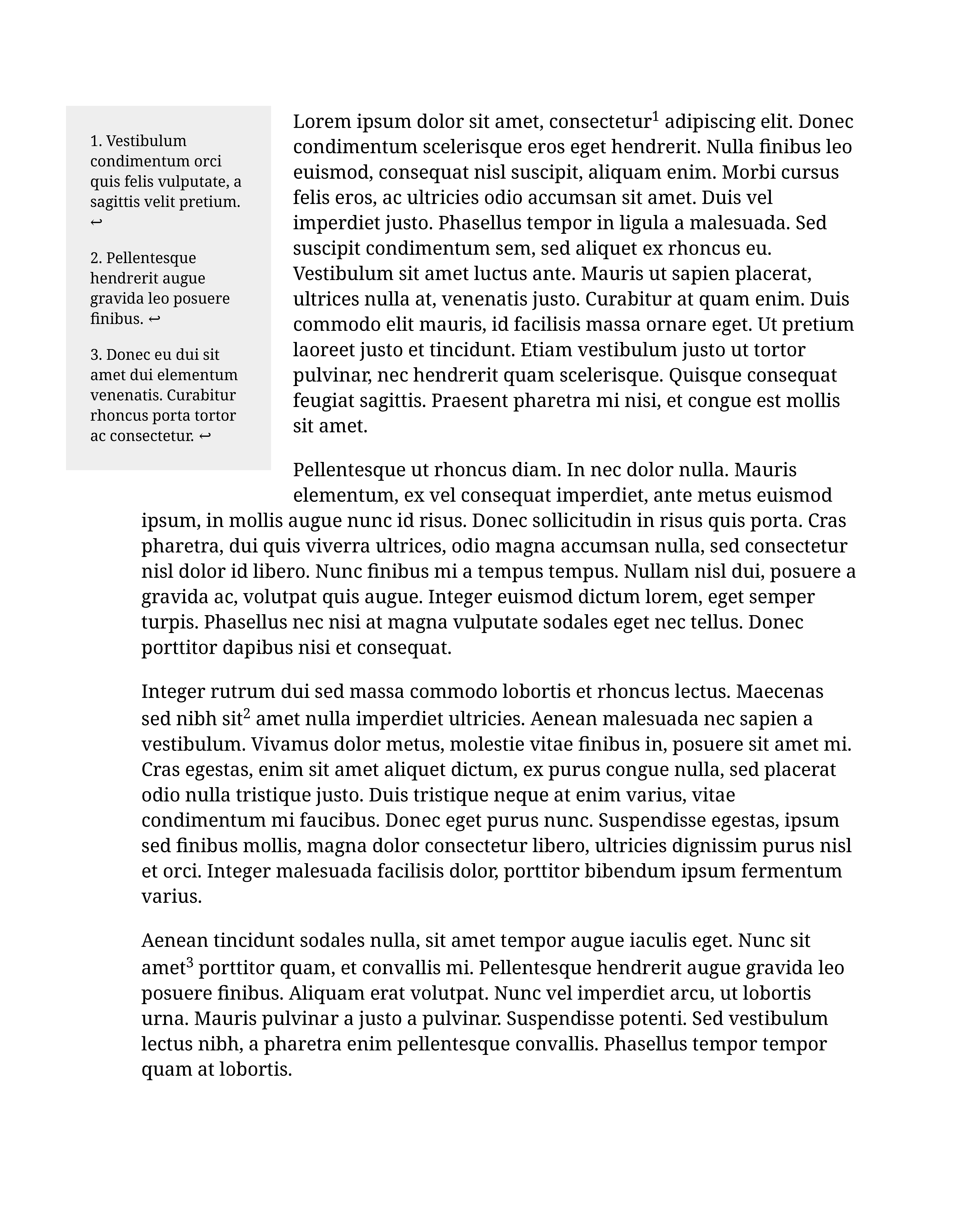
there is:
<style>
  @page {
    margin-left: 3cm;

    @note-area {
      content: element(sidenote, all-once);
      float: left;
      width: 10em;
      padding: 0.5em;
      margin: 1rem 5mm 5mm -15mm;
      background: #eee;
    }
  }

  span {
    display: block;
    position: note(sidenote);
    margin: 1em;
    text-align: left;
    font-size: 0.8em;
  }
</style>
<p>
  Lorem ipsum dolor sit amet, consectetur<span>Vestibulum condimentum
  orci quis felis vulputate, a sagittis velit pretium.</span>
  adipiscing elit.
</p>
<!-- and more lorem ipsum paragraphs with span notes -->
span elements are positionned with the
note() function, removing them from the flow.
Like running-elements, you can name notes; here is
"sidenote".
The notes are placed in the note-area with the
element() function. element(sidenote,
all-once) indicates that we place the elements named
"sidenote" and all-once says that all the notes
from the page are displayed.
Style related to the note-area goes into the
@note-area block. Style related to the notes
themselves goes into the span block.
You can use more complex layouts in the note-area, like grid or flex for example 🤯.
What Isn’t Supported in WeasyPrint?
If you read the specification, you’ll notice that not everything is supported in WeasyPrint:
- the float-reference property,
- named note-areas,
- notes policies
lineandblock.
float-reference is a property that already exists
in CSS and it’s defined by the
CSS Page Floats specification.
That’s a specification that we don’t
support at all in WeasyPrint. So if we want to use the
property, we have to also implement this Page Float
specification. That implies a lot of changes in the page
management, we’re not ready for this yet 😅.
Notes policies are like the footnotes policies: they allow to define how notes are managed when a page break occurs. As the support of CSS Notes is quite recent, we prefer to implement that part when we’ll have a more solid support with real cases usages!
For named note-areas, honestly, we’re not sure it’s even possible now 😆.
What Did we Learn?
Writing a specification is hard. A big shout-out to Julie Blanc who did the very first draft of the specification 👏.
We discussed a lot about the specification before doing the implementation, to clarify things, reformulate others…
Even with these discussions before, implementing was hard too.
We had to think on how to render page content, containing notes that take space and thus change the page content rendering.
We noticed several things that weren’t finally that clear when developing, leading to new questions. The development into Paged.js is probably going to raise other questions too. So the CSS Notes specifications will evolve, of course. That’s what specifications do, don’t they?
But mainly… it was fun 😄.